This post is a continuation of my last discussion on cookies with JMeter found here. In this post we are going to look at injecting cookies into a request in a couple of forms along with a noteworthy mention.
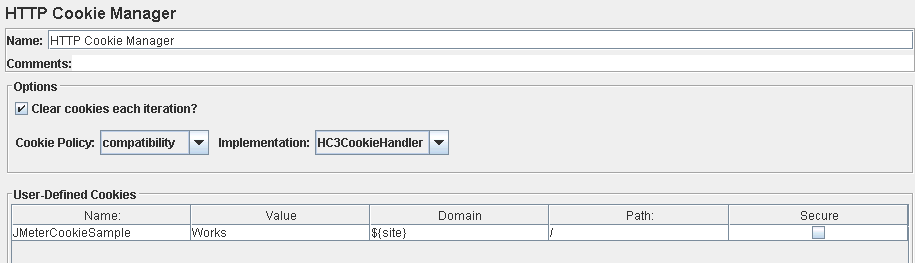
Happily using the HTTP Cookie Manager (as mentioned in the previous post) supports this, you simply need to click ‘Add’ and supply the following information:
Here is what it looks like:
What I am doing here is creating a cookie named ‘JMeterCookieSample’ which contains the value ‘Works’. This cookie value should appear when I request the ‘/’ path of my given domain.
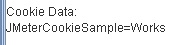
This is what my response comes back with:
Obviously this is just a cookie that I’ve made up which the site under test has no knowledge on, so it takes no additional action.
So the eagle eyed reader would have noticed that I’ve put a parameter for the domain name i.e. ${site} for the above example. This variable is coming from a CSV file (using the ‘CSV Data Set Config’ configuration element) in which I’ve listed the sites that I wanted to send a request to. We can happily use this method to inject values that we know before the test has started but what if you only knew that value at runtime?
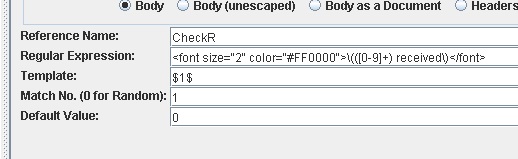
In my example I’ve created a regular expression to pull out a value for ‘CheckR’ in a runtime request of my ‘/’ transaction, I’m not going to dig into regular expressions so just have faith that this expression works:
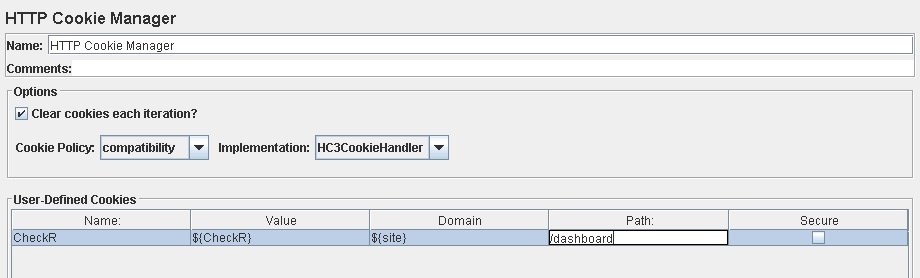
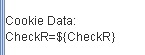
Now if say I did this in my Cookie Manager:
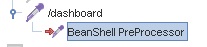
This is where the beanshell pre-processor comes in, simply add the pre-processor as a child to the request where you need the cookie value:
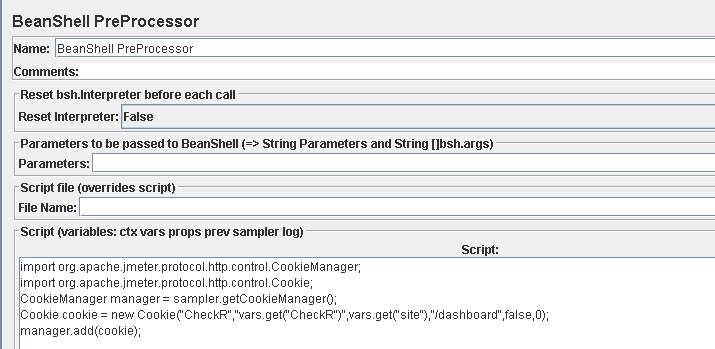
And add the following in the script section:
Let’s break down what is happening:
For more information on the cookie component please take a look at the JMeter documentation here:
http://jmeter.apache.org/api/org/apache/jmeter/protocol/http/control/Cookie.html
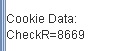
So finally testing this we find our cookie along with the relevant value, in this case I know the CheckR value was 8669:
I recently came across a site script in which I wanted to conduct a request dependant on a cookie value. I knew the ‘dependant’ on value could be handled with the JMeter if controller
(http://jmeter.apache.org/usermanual/component_reference.html#If_Controller)
with a bit of Jexl, the difficulty was actually getting the cookie value to do the calculation on. Luckily JMeter has this one sorted: by un-commenting ‘CookieManager.save.cookies=true’ within my JMeter properties file (found in the bin directory) we can save cookies as variables. So say I had a cookie name ‘STATUS’ with the property enabled I could reference that as a variable by using ${COOKIE_NAME} where name would be the cookie name i.e. ${COOKIE_STATUS}.
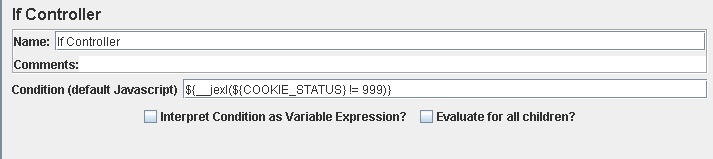
Here is what my ‘if controller’ looked like once I enabled the cookie saving property:
To put it simply the above is looking at the value of cookie name ‘STATUS’ and checking if the value is not equal to 999. If true then it will execute the requests underneath that controller.
I hope that this series has taught you something useful around cookie management in JMeter. Please feel free to drop a comment if you have any questions.